

PANELWRIGHT
A Graphical User Interface for Building Graphical User Interfaces (for Arduino GIGA)

There is a particular kind of friction that shows up around the third or fourth iteration of an embedded UI. You start with a sketch on grid paper. You translate it to LVGL calls. You flash, look at the board, see that your slider is twelve pixels too far left and your meter wants to be a hair larger. You change two numbers, recompile, reflash, look again. Repeat for every widget. Repeat for every screen. Repeat for every change of mind.
The friction is real but it is not the kind of friction worth honoring. It is not the friction of carving a dovetail by hand. It is the friction of typing pixel coordinates twice. So this past month I built PANELWRIGHT, which is the workbench I wanted next to my workbench. GitHub repo here.
WHAT IT IS
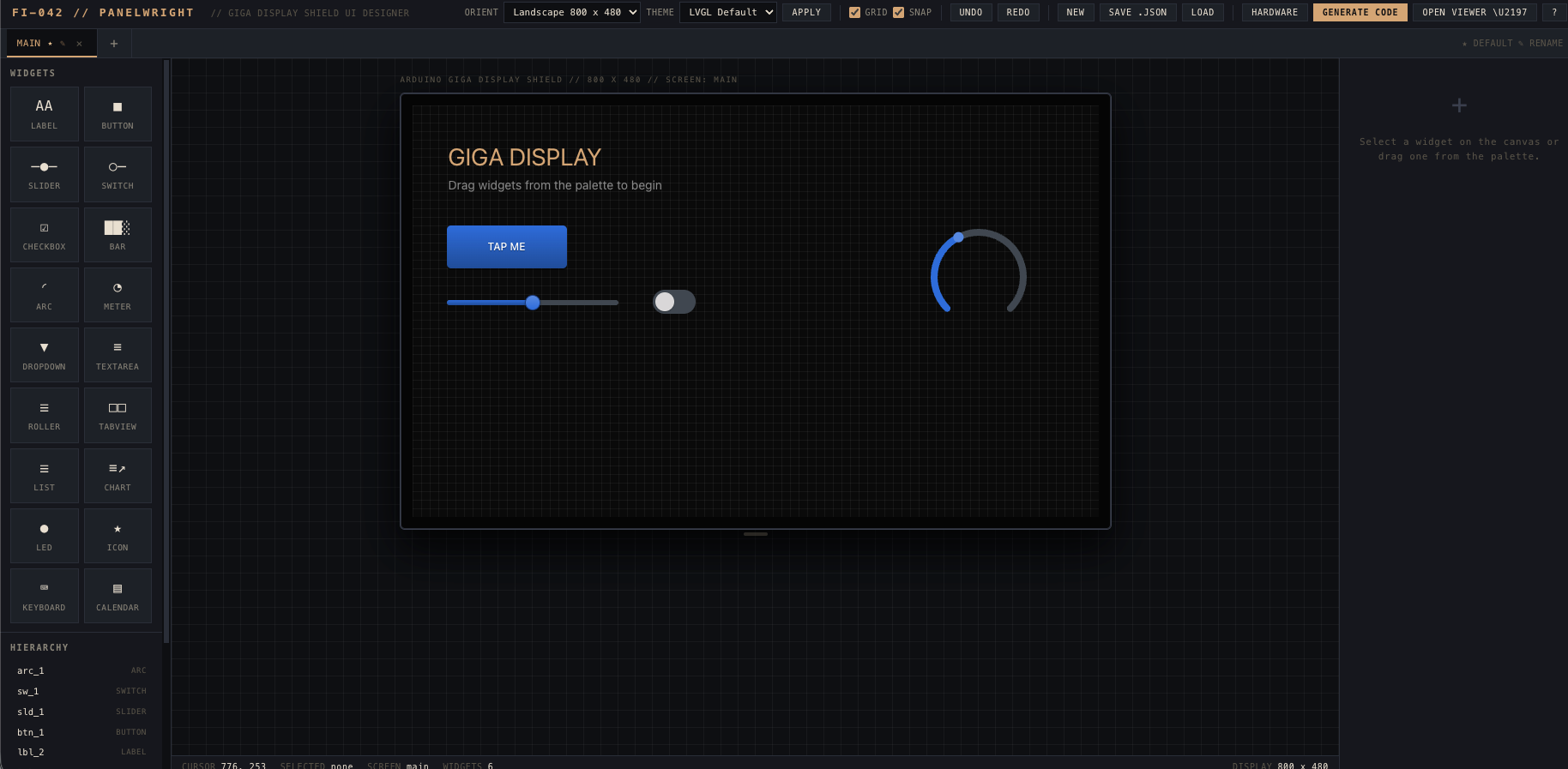
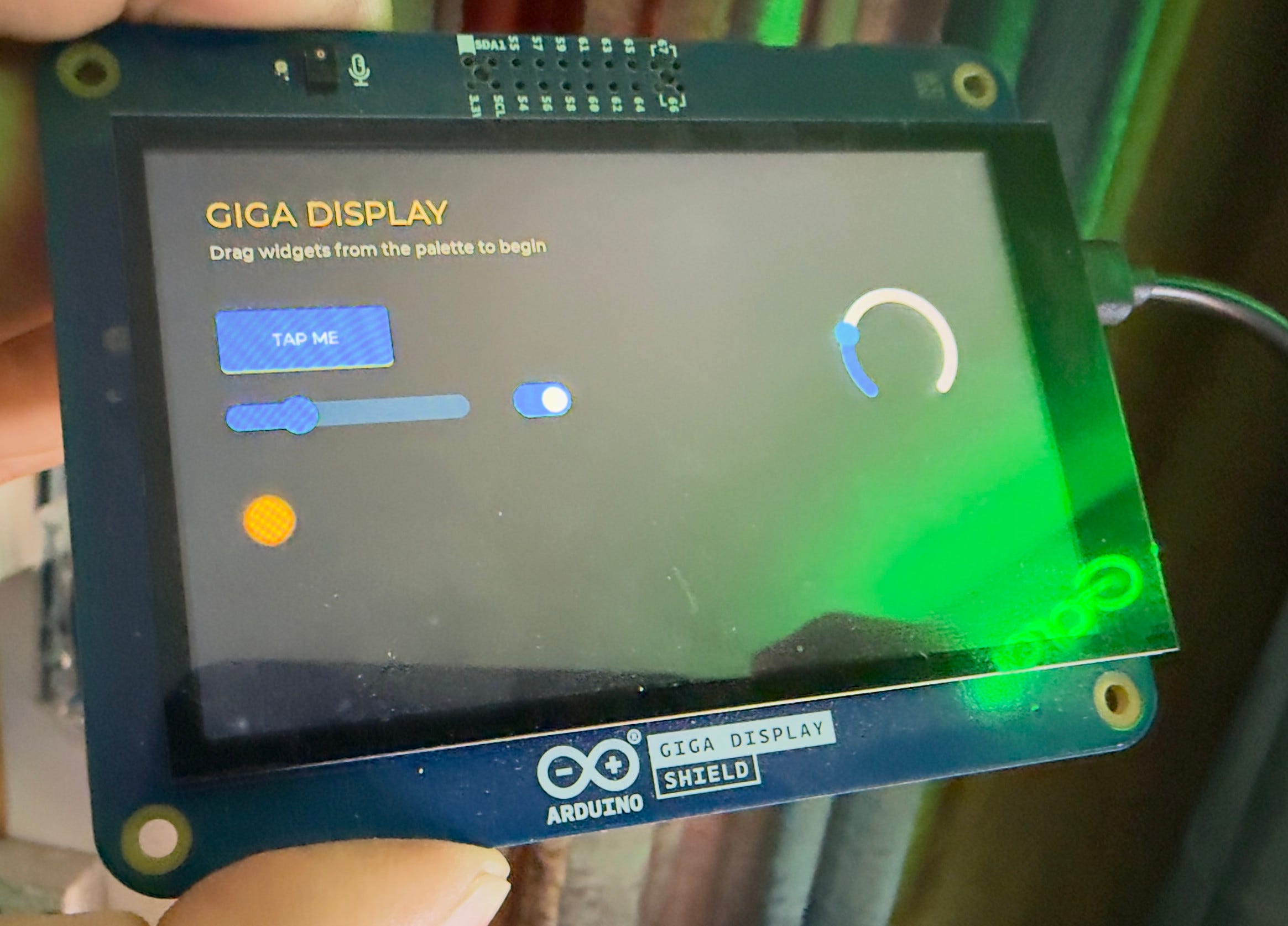
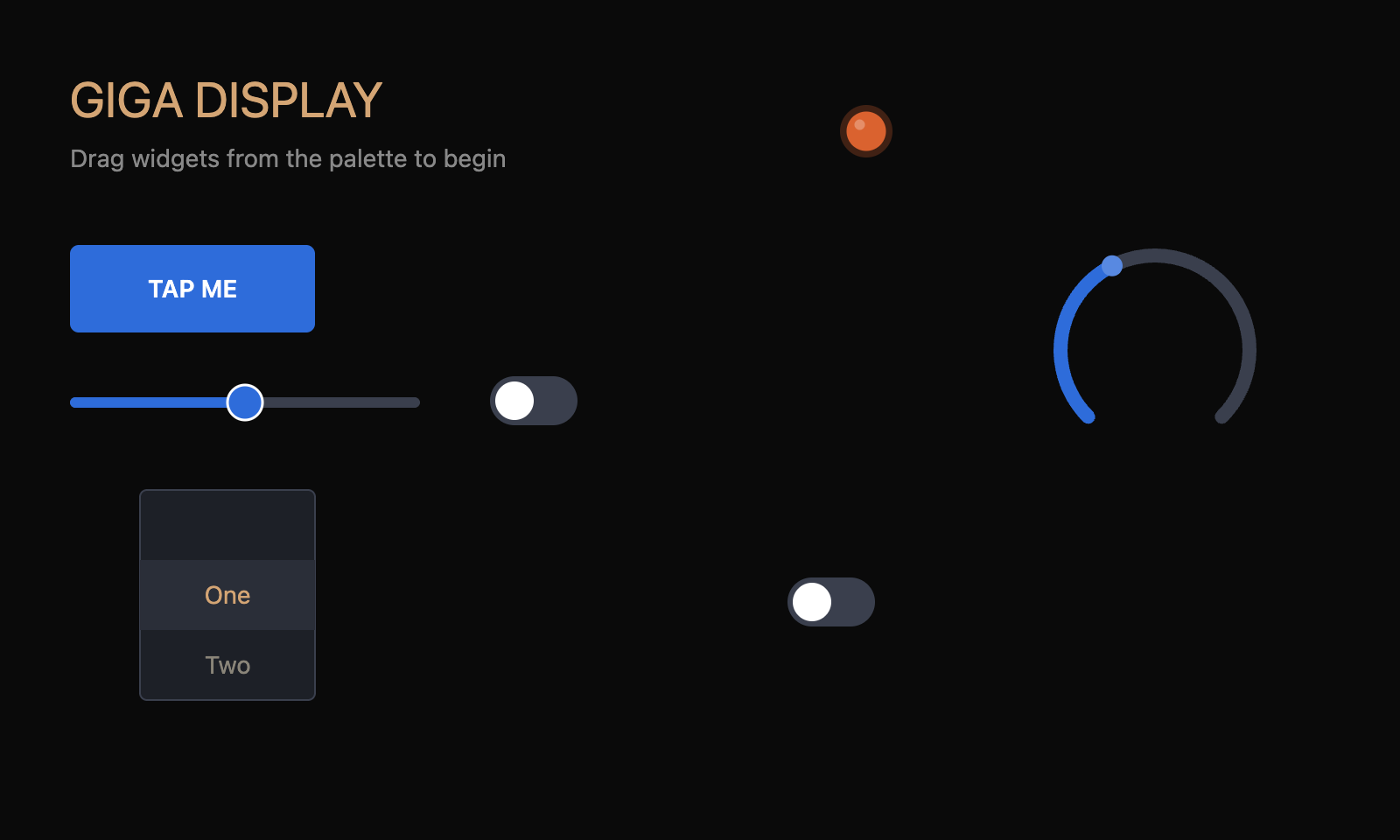
A single HTML file. You drop widgets onto a one-to-one canvas the exact size of the Giga Display Shield, set their properties in a panel, and when you are happy you hit Export and out comes a ready-to-flash Arduino sketch. Eighteen widget types so far. Multiple screens with navigation between them. Two themes. Undo and redo. Save and load to JSON.
No build step. No node_modules. No CDN. No license fee. The whole thing is one file you can keep in the same folder as the sketches it generates. If you want to fork it, you open it in a text editor and you fork it.
That last constraint is the one I want to talk about.
THE SINGLE FILE CONSTRAINT
I have a rule for the Field Instruments. Each one is a single HTML file. No external scripts, no remote fonts, no build tools, no package manager, no dependencies you can lose. You can put the file on a USB stick, on a homelab share, on your desktop, on a dead-tree printout if you wanted to. As long as a browser can open it, it works. Twenty years from now it should still work.
This is partly stubbornness. It is also partly the thing I keep coming back to in this newsletter. Tools that depend on infrastructure outside themselves are tools that someone else can take away. A jointer plane that needs the internet to function is not a jointer plane, it is a subscription. The whole tradigital project is about figuring out which parts of the digital toolkit can be made to behave more like the analog ones. Permanence is one of those parts.
The constraint also forces good design. You cannot reach for a UI framework when you do not have a UI framework. You write the drag handler yourself. You compute the alignment guides yourself. You render the canvas yourself. You make every dependency a deliberate choice instead of an absentminded npm install, and the result is a smaller, more legible codebase that you actually understand.
THE ZIP WRITER
There is a moment in any single-file project where you bump into something the constraint makes harder. For PANELWRIGHT it was the export-as-zip feature.
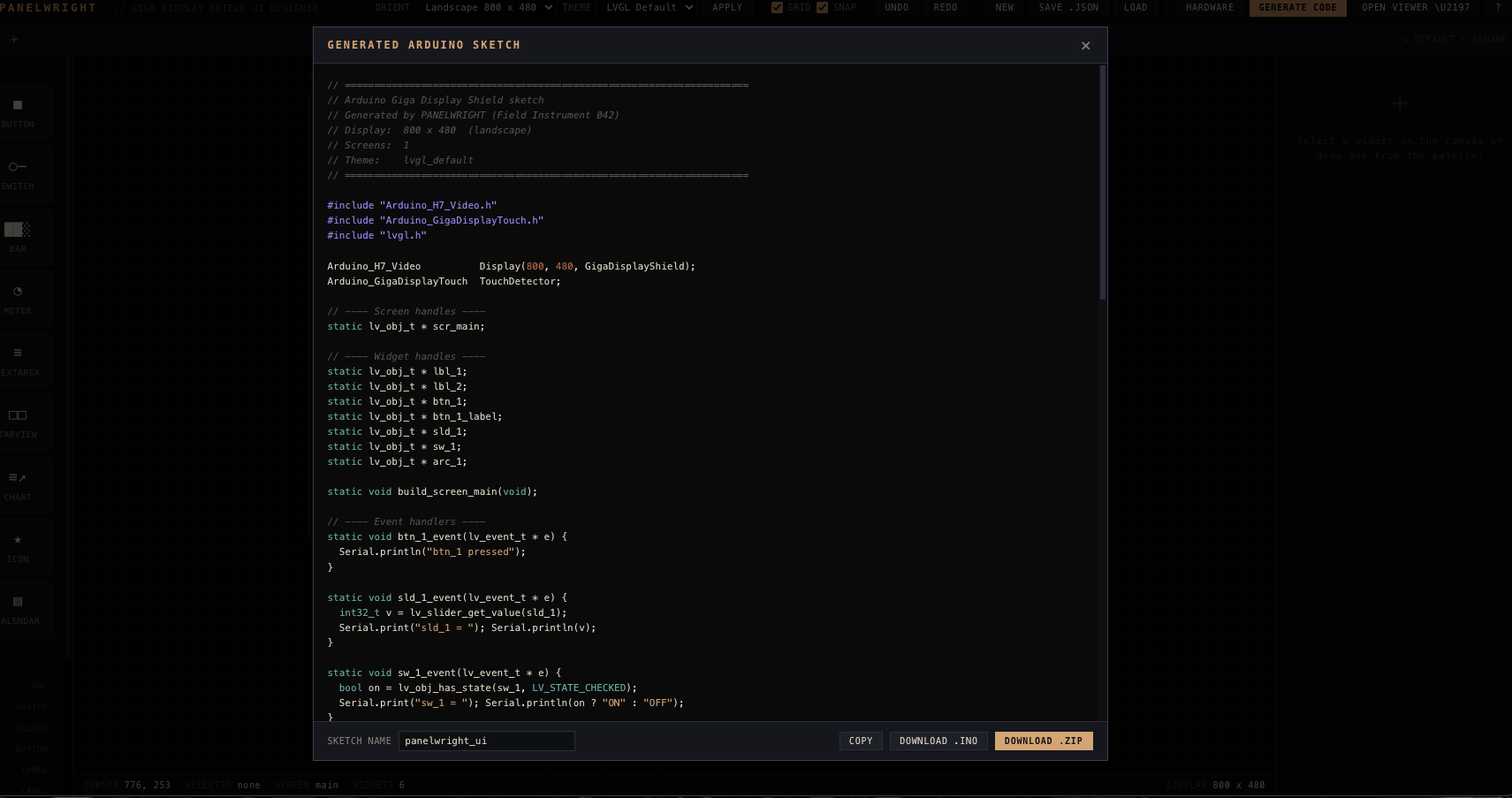
Arduino expects a sketch as a folder containing a .ino file with the same name as the folder. If I want a clean one-click download, I need to produce a real zip archive in the browser, with a real folder entry, that the user can unzip and open in the Arduino IDE.
The conventional move is to npm install jszip. Or to add a script tag pointing at a CDN. Both options were closed to me by my own rule.
So I read the PKZIP specification, which has been stable since 1989 and is exactly the kind of long-lived format I trust, and I wrote a seventy-five line ZIP writer from scratch. STORE mode only, no compression, a CRC-32 table computed at boot, the local file headers and central directory hand-rolled in JavaScript. The output is a single function that takes a list of `{ name, contents }` objects and returns a Blob.
This is the part I want to be honest about. The proper engineer answer is “use the well-tested library.” The hobbyist craftsman answer is “the spec is forty pages, the file format is older than I am, and writing it yourself is the most interesting hour of the day.” I picked the second answer. The seventy-five lines have been bulletproof. They will probably still work in 2046.
This is the same instinct that makes someone choose to grind their own coffee or develop their own film. Sometimes the convenience layer is worth the trade and sometimes it is not, and the only way to know which is which is to do it the hard way once and find out.
PLAYING ARCHITECT
The first version of PANELWRIGHT was a single canvas. You designed one screen. That was fine for a thermometer or a meter but useless for anything that wanted a menu and a settings page.
The v0.2 rework introduced a screen model. Underneath, the state is a list of screens, each with its own widget array, one marked as the default. Buttons can be given a goto action that targets another screen, and the code generator emits an `lv_scr_load` call wired to that target. There is a navigation strip below the topbar where you switch between screens with a click, mark which one is default, rename them, delete the ones you do not need.
The architectural decision that mattered was making the screen the unit of work. The old version treated screens as a postprocessing concern. The new one treats them as first-class. Everything else, the property panel, the code generator, the save format, the alignment guides, all got cleaner once that decision landed. There is a lesson in that which I will probably keep relearning for the rest of my life: when something feels harder than it should be, you usually picked the wrong primitive.
THEMES
PANELWRIGHT ships with two visual themes. One is the LVGL default, which is the standard blue I have stared at for years on a hundred embedded demos. The other is a theme I called Tradigital, and it is the one I built the tool to be able to use.
Tradigital is amber on dark. The primary color is the warm beeswax tone I associate with the dial faces of old Tektronix oscilloscopes, the lacquered brass of a railroad signaling instrument, the patina of a fifty-year-old shop light. The secondary is a muted teal that pairs against it the way the green felt of a billiard table pairs against polished mahogany. The whole palette is meant to read as a piece of equipment that has been in use for a while, made by someone who cared, kept by someone who still does.
This is not just a visual preference. The aesthetic is doing work. Every Field Instrument leans toward this register because the register is part of the point. Modern software tooling has converged on a flat, bright, infinitely customizable visual language that signals nothing and is forgotten the moment you close the tab. The instruments are trying to be remembered. They are trying to feel like objects that earned their place on the bench.
When you hit Apply on the Tradigital theme in PANELWRIGHT, every widget on every screen of your project recolors. The buttons go warm beeswax. The sliders match. The meter needles go rust. It is a small touch. It is also, for me, the difference between a tool I will use and a tool I will lose.
HARDWARE DOESN’T HAVE TO BE HARD
The act of writing this post turned out to be the thing that revealed what the tool was missing. Halfway through the second draft I realized the canvas was treating the UI as if it lived in a vacuum, when of course any real device with a screen has a microphone or an IMU or a WiFi radio on the same board, waiting to be wired up. The setup function was getting filled out beautifully for the screens and was completely silent on every other piece of silicon. So v0.3 shipped this week with a Hardware button.
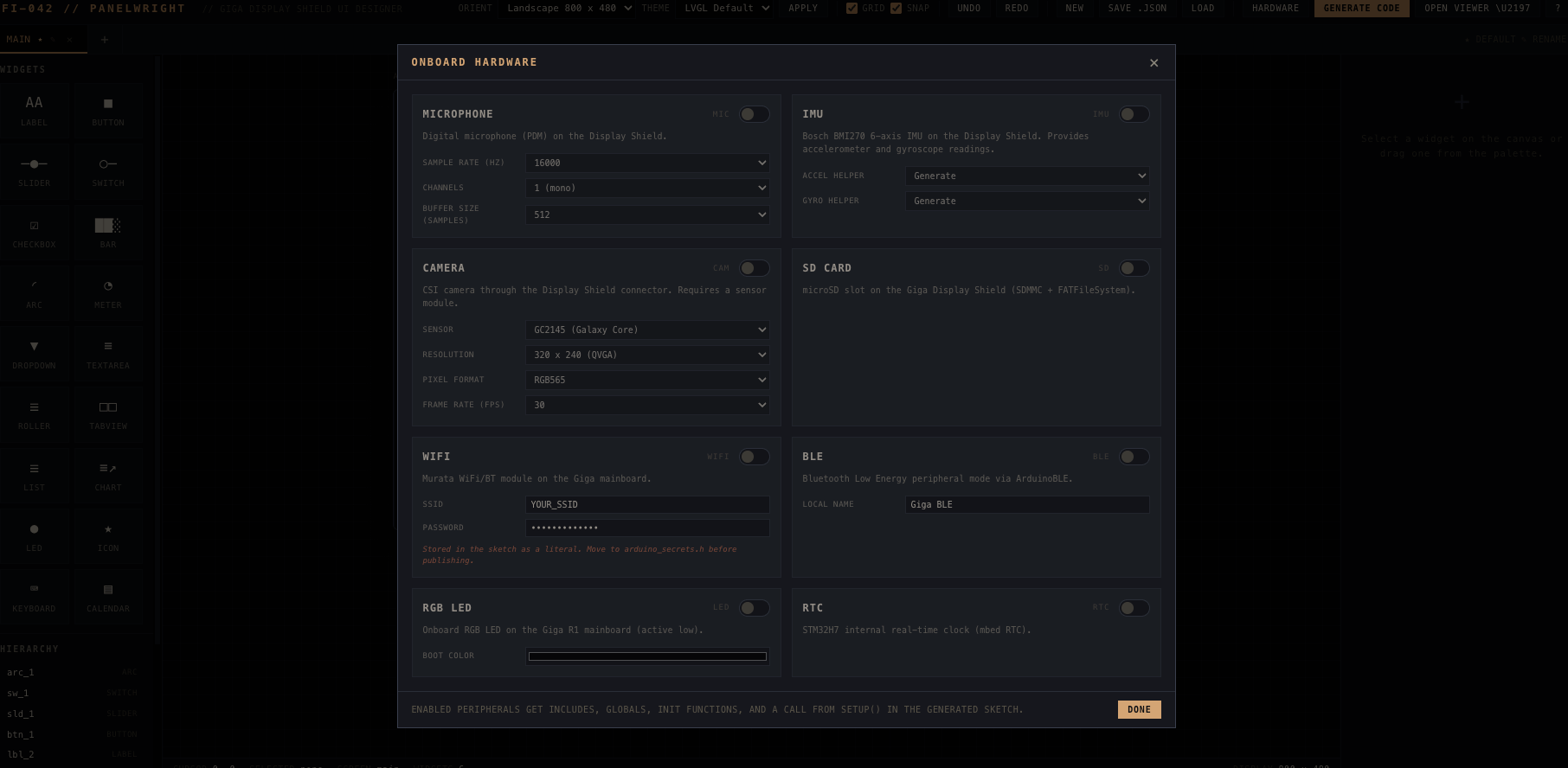
The Hardware modal is a card per peripheral, eight of them on the Giga R1 and Display Shield combo: microphone, IMU, camera, SD card, WiFi, BLE, the onboard RGB LED, and the mbed RTC. Each card has a toggle and the settings that matter. Sample rate for the microphone. Sensor choice for the camera. SSID for WiFi. Boot color for the LED. None of them render on the canvas. They are project-level, not per-screen, because that is how the hardware actually behaves. Enable a peripheral and a small amber dot appears in the status bar at the bottom of the editor, so a glance tells you what silicon your sketch is going to touch.
The generator turns those toggles into real Arduino code: includes at the top of the sketch, globals near the display instances, a clearly labeled init function for each enabled peripheral with prints on success and on failure, and a call from setup before any screen gets built. Where it helps, the generator emits a helper too: read_acceleration and read_gyroscope for the IMU, capture_camera_frame for the camera, set_rgb_led for the LED, rtc_now_string for the clock. Each block opens with a comment showing how to consume the peripheral from a widget’s Event Code or from the loop body. The output is meant to be the head start, not the wrapper.
The IMU is in there partly thanks to one of those moments where the tool talks back. I had shipped v0.3 with seven peripherals and a note in the README saying the Display Shield does not have an IMU. The Display Shield, of course, has a Bosch BMI270 on it. I knew this once and forgot. The moment that got pointed out, the eighth card went in. There is a lesson in there about how tools improve, which is roughly: ship, get corrected, fix, repeat.
The other small piece that snuck into v0.3 was editor and viewer linkage. The viewer now opens from a button in the editor toolbar, and the editor hands the current project across through session storage so the viewer wakes up showing whatever you were just designing. The viewer has a back link the other way. Both pages still work entirely standalone, which is the single-file rule talking.
WHAT’S NEXT?
Tab content as sub-canvases, so a tabview can be edited as a nested workspace. Maybe an image widget once I figure out how to handle binary asset embedding without breaking the single-file rule. Maybe a serial preview mode where you can drive the live UI from the running sketch, but that is closer to a research project than a feature.
If you want to try the current build, it is live at the link in the catalog. There is a companion file called PANELWRIGHT View that loads a saved project JSON and renders it as a clickable mockup, useful for walking through a design before you commit to flashing. Both are GPL-3.0 plain text, and both are sitting in a folder on my workshop machine right now, doing exactly what tools are supposed to do.
Make. Hack. Learn. Share. Repeat.
73s from Mountain Maryland.
N1HNP