

KANDOO
Kanban + Can Do. Whimsical sticky-note project management for serious making.

I have started and abandoned more project management tools than I can count. Trello. Asana. Jira. Notion. Linear. Airtable. A whiteboard in the garage. Index cards pinned to corkboard. Notes.app. A wall of Post-Its behind the workbench. A spiral notebook I lost twice. A Google Sheet that eventually became unreadable. Each one worked for a while, then it did not, and then I was migrating my life into whichever tool the algorithm was pushing that month.
The problem was never the tools. The tools are fine. The problem is that a kanban board is supposed to be a piece of the wall in the room where the work happens. It is not supposed to be an account. It is not supposed to want a credit card. It is not supposed to email me a weekly digest about my velocity. It is not supposed to live somewhere I cannot reach when the internet is down. And when I close the tab, the tool should stop, the same way a piece of paper stops when I put it in the drawer.
So I built a thing. It is called KANDOO.
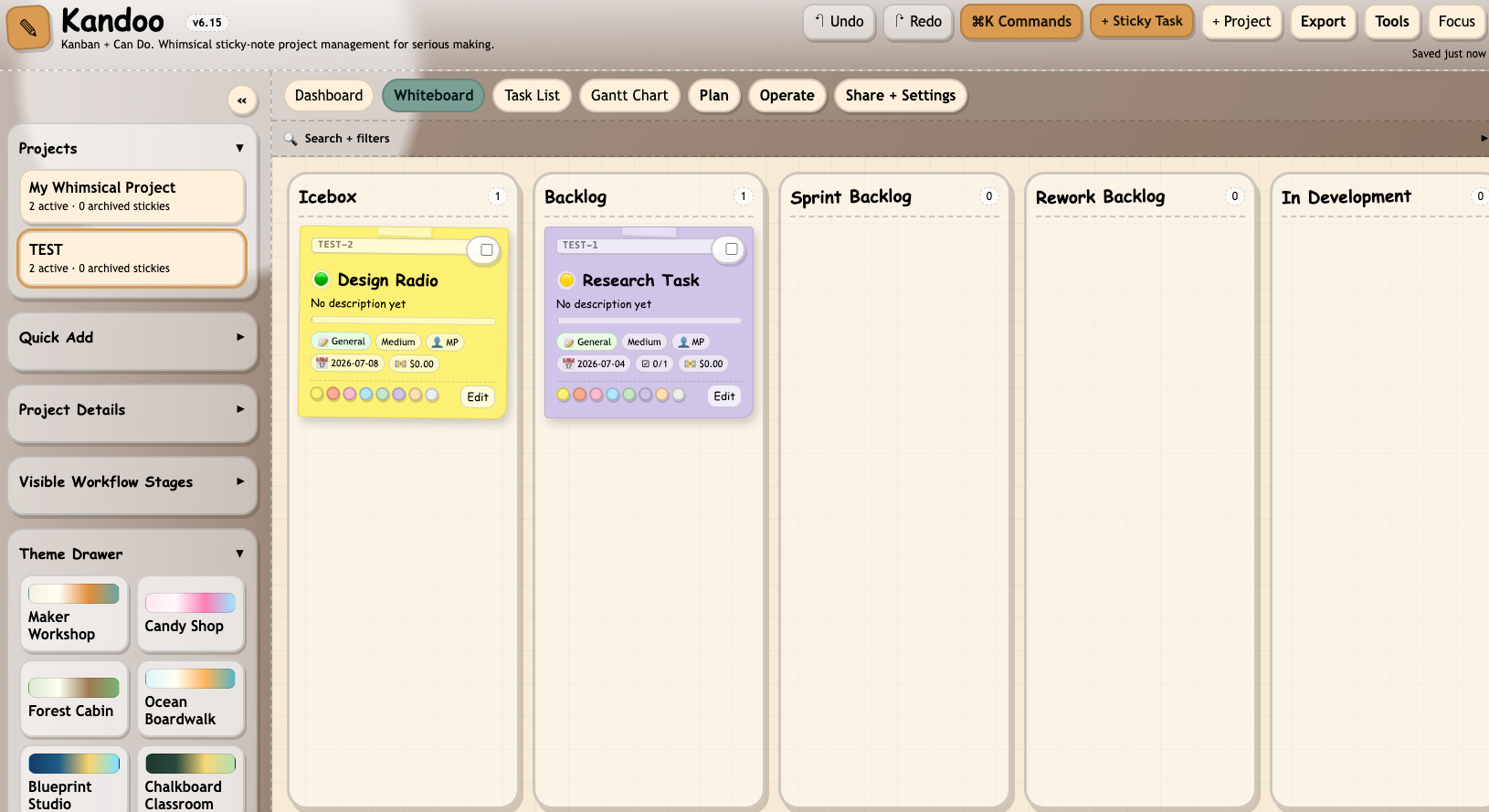
Kanban plus Can Do. A whiteboard covered in sticky notes. Yellow paper. Hand-drawn font. Little masking-tape strips at the top of every note. Everything runs in the browser from a single HTML file. Nothing you type ever leaves your machine.
A wall, not a workflow engine
The aesthetic of Kandoo is a workshop wall. When you open the board view, you see columns for your workflow stages, and inside those columns, sticky notes. Each note is rotated a degree or two so it looks like you slapped it up in a hurry. When you drag a note from one column to another, it makes the same visual promise it would make on a real corkboard: I moved this from the “somebody should do this” pile to the “I am doing this now” pile.
The rest of the app is a different aesthetic entirely. Dark mode by default, styled like a vintage scientific instrument. Aged brass. Dashed borders. A hand-writing font on the section headers. The stickies are the only bright color anywhere. Everything else is the office of somebody who fixes old clocks.
That contrast is deliberate. The notes are the work. Everything around them is scaffolding.
What is in it
Kandoo shows you the same underlying data through thirteen views. You switch between them with tabs at the top.
The Whiteboard is where you will spend most of your time. Columns are your workflow stages, stickies are your tasks, and you rearrange the wall by dragging.
The Task List is the same data as a table. Sort, scan, bulk edit.
The Dashboard gives you counts and health signals at a glance.
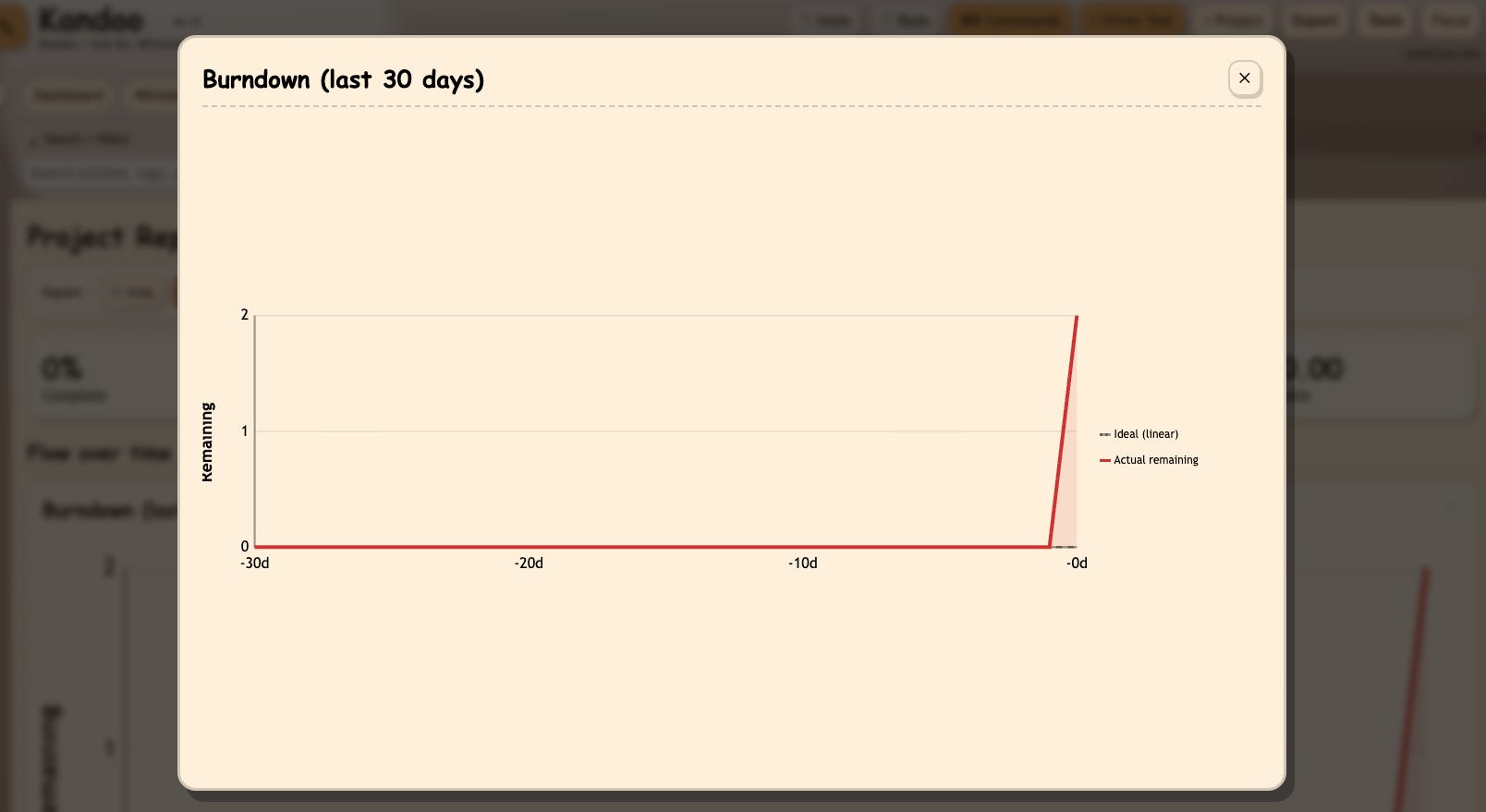
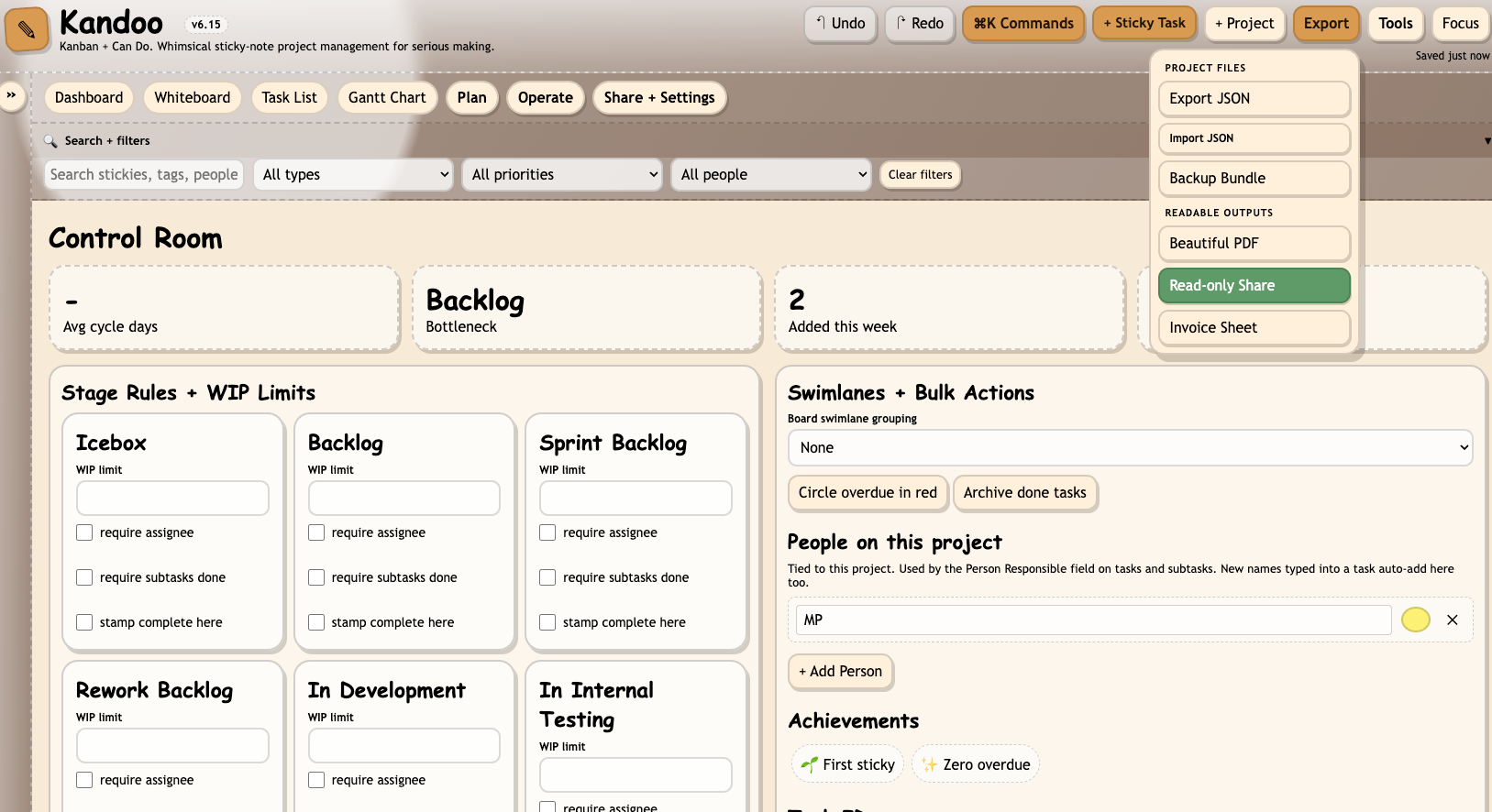
The Reports view has eleven charts. Burndown. Velocity. Cumulative flow diagram. Cycle time. Lead time. Throughput. Aging WIP. WIP by column. Blocked work. Cards by assignee. Cards by priority and type. Every chart has a maximize button in the corner. Click it, the chart opens fullscreen. Above the charts sits an export toolbar with two buttons. The HTML button gives you a standalone file you can email to a collaborator. The PDF button uses the browser print pipeline, which knows what to hide and what to keep, so what comes out looks like a proper report and not like a screenshot.
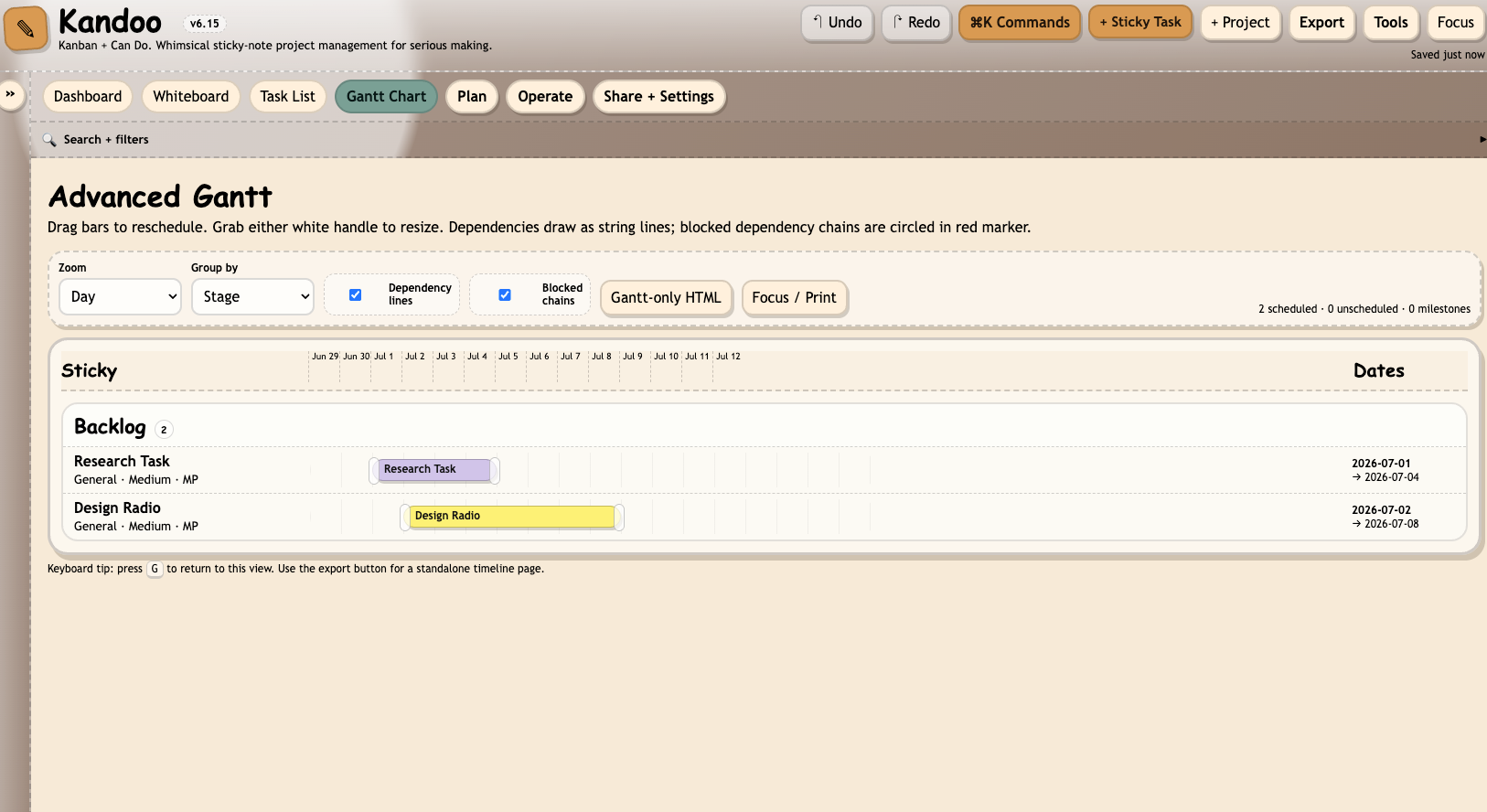
The Gantt Chart does timelines and dependencies.
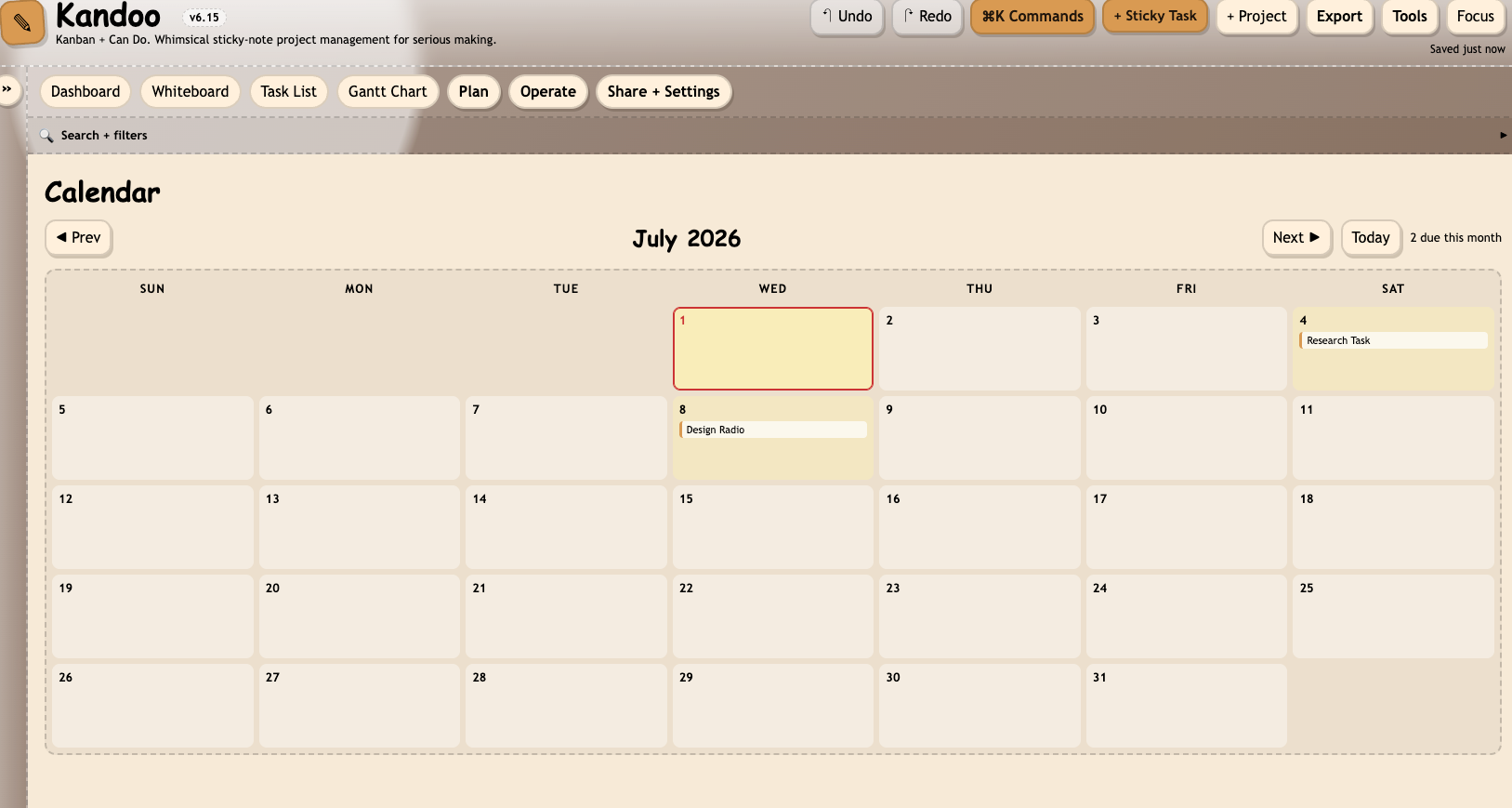
The Calendar is a monthly grid where tasks land on their due dates.
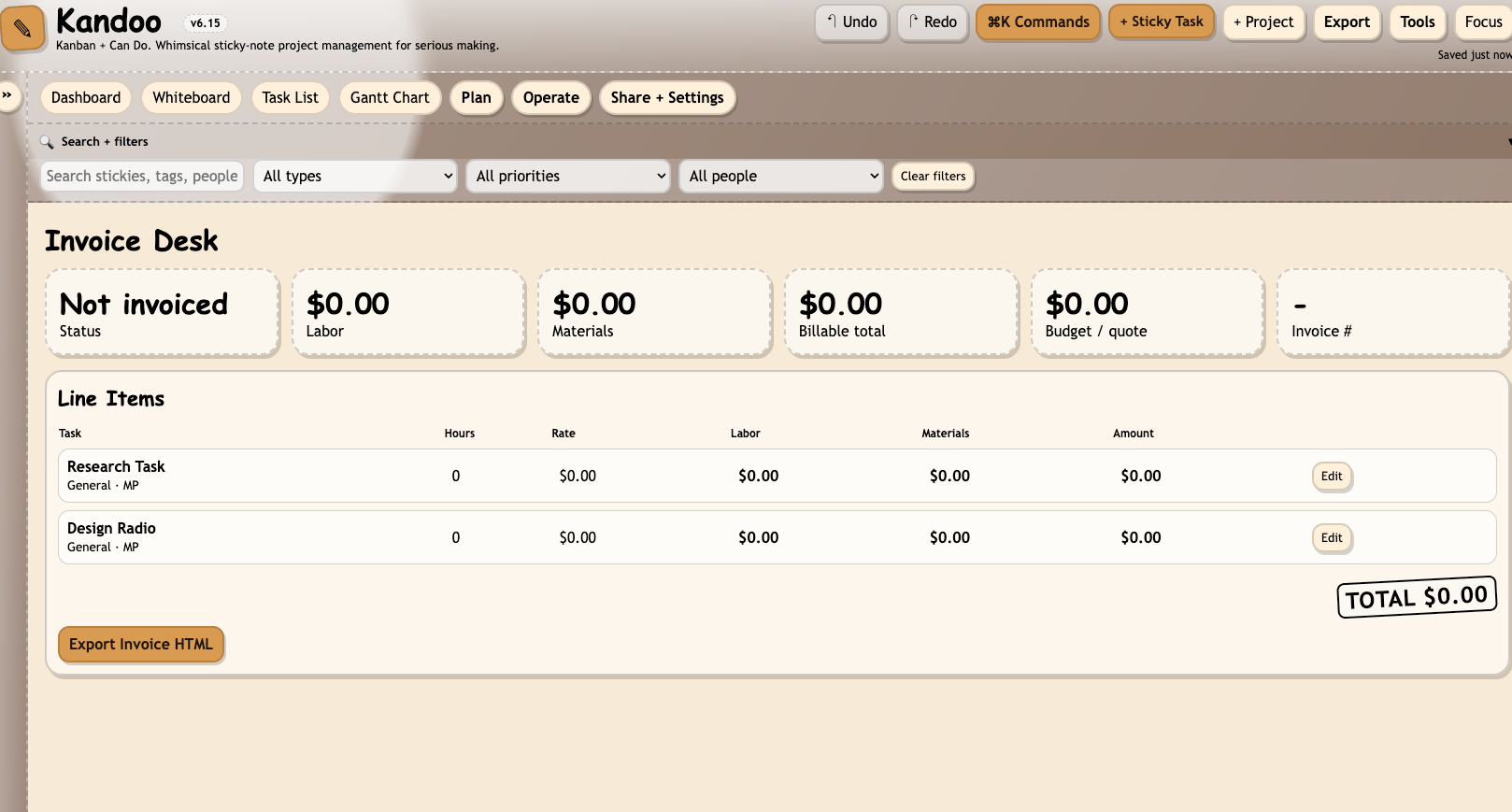
The Invoice Desk is the view I use most, aside from the whiteboard. Every billable task shows up as a line item with labor, materials, and total broken out. When it is time to send the invoice, one click opens a print-ready page and Save-as-PDF gives you an invoice that looks like an invoice.
The rest, Project Brief, Milestones, Control Room, Activity, Templates, Share Center, Worklog, Dependency Map, are each a different way of looking at the same stack of stickies.
What is on a sticky
Every sticky task carries the usual things. Title, description, type, priority, dates, assignee, estimated hours, actual hours, hourly rate, materials cost, blocked status with a reason. Subtasks, each one with its own responsible person and due date and a custom-styled checkbox. Attachments, stored as base64 inside the file so the whole project stays portable. Comments. A color you can change from a row of swatches on the front of the note.
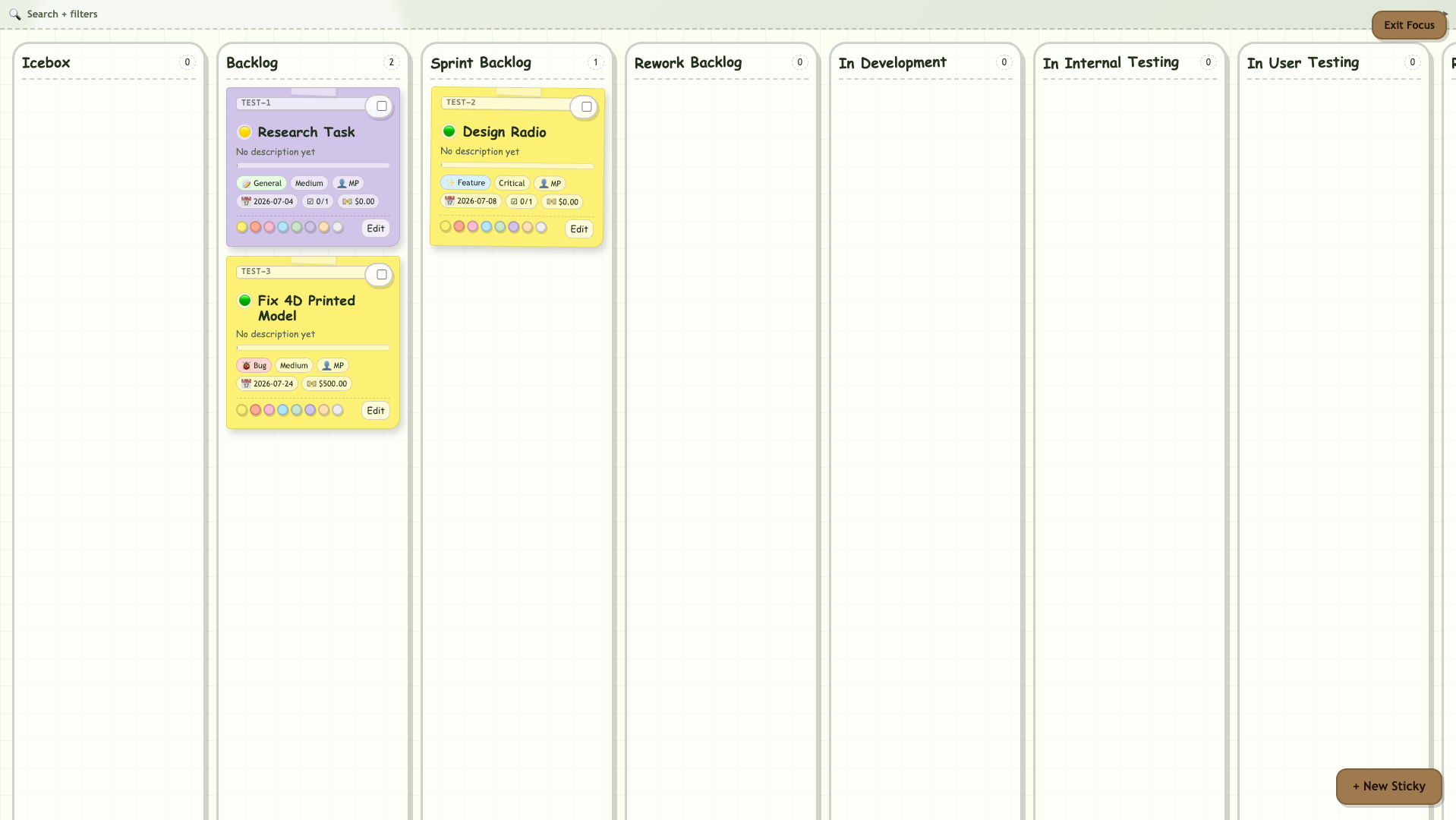
Every sticky also gets a stable ID the moment it is created. If your project is called TEST, the first sticky is TEST-1. Its first subtask is TEST-1-1. The counters never rewind, so IDs stay stable as external references. You can toggle whether the IDs show on the notes from the Control Room. The prefix is editable. Renaming the project does not change the prefix, which is the same rule Jira and Linear and GitHub live by, because reference stability matters more than aesthetic tidiness.
There are keyboard shortcuts. Press ? anywhere to see all of them. There is a mobile drawer with a Quick Actions panel at the top so you can add a task or jump to the board from your phone without hunting. There is a swipe UI on the board when you are on a narrow screen. The pills on the front of every sticky are all clickable. Tap the priority pill and a small popover opens with the five options. Tap the person pill and you get a search input that autocompletes against the project’s people list. The stickies are meant to be edited in place. You should only need to open the full modal when you are creating one from scratch or making a big change.
What is under it
Kandoo is a single HTML file. Around 540 kilobytes. No build step. No dependencies. No frameworks. No npm install. If you can read JavaScript, you can fix any bug, add any chart, change any color. The source code is the manual.
Data lives in your browser’s localStorage under one key. There is no database. If you want the data on another machine, click Export JSON. If you want a snapshot for the record, click Print. There is no server anywhere in the loop.
The architecture uses a small pipeline system exposed on window. Four registries. Any code that wants to run before or after a render, or before or after a save, registers a hook. The main render function does not need to know about your feature. Your feature registers itself and rides along. That is how thirteen views coexist without stepping on each other, and how the whole thing keeps growing without turning into a tangled ball of wrappers.
There is a regression harness. Seventy-two Playwright tests as of this writing, across thirteen categories. Every time I ship a feature, I run the harness. Every time it fails, I fix the code, not the test. This is the only reason a single-file HTML kanban app can keep growing without collapsing on itself.
How it relates to the principles
Kandoo is another practical demonstration of the Green Shoe Garage design principles the workshop runs on.
#21, design for the next pair of hands. One file. No build. GPL-3.0. If somebody wants to fork Kandoo and turn it into a lesson planner or a submarine maintenance log or a Dungeons and Dragons campaign tracker, they can, and they do not need my permission or my server.
#24, build like you might need to escape with it. Save the HTML to a thumb drive. It works. If Substack, GitHub, Cloudflare, and my hosting all disappeared tomorrow, Kandoo would still open in your browser and still work. Your data is on your machine. That is the point.
#25, optimize for repair, not perfection. When the burndown chart shows the wrong thing, you find the one function that draws it and you change it. There is no dependency tree to unwind. No framework upgrade to survive. You ship the fix by copying one file to your web server.
#28, if it is worth building, it is worth sharing. The source is on GitHub. Pull requests welcome. Bug reports welcome. Forks especially welcome. If you build something better than Kandoo, tell me.
What it is not
Kandoo is not SaaS. It does not want a subscription. It does not want you back tomorrow. It does not track how long you spend on it. It does not compare you to other users. It has no notifications. It has no premium tier. It does not have an AI helper that summarizes your stickies for you. It does not want to be your platform. It wants to be a piece of your wall.
It also is not a team tool, not really. You can share a read-only HTML export or trade JSON files with a collaborator, and that works fine for two or three people who trust each other. It is not designed for twenty engineers and a product manager and a Scrum coach. If you need that, use something else. Kandoo is for the maker, the solo consultant, the small shop, the two-person studio, the person who runs a side project on nights and weekends. Kandoo is for the person who wants a board without wanting a bill.
How to use it
Go to greenshoegarage.com/projects/kandoo. Bookmark it on your phone. Open it any time you want to move some work around. The first time you open it, a demo project appears. Delete it or edit it. Make your own. Start adding stickies.
If you want the file locally, save the page as HTML to your machine. Now you have a Kandoo you can open by double-clicking. Put it on a thumb drive. Put it in Dropbox. Put it in a repo. Put it wherever a file goes. It will still work.
If you use it for billable work, fill in your hourly rate on each task and mark the task billable. When it is time to send an invoice, go to the Invoice Desk, click Export, and it will open a print-ready page with labor, materials, and totals broken out. Save as PDF and send it.
The source is on my GitHub under GPL-3.0. Fork it. Break it. Improve it. If you build something with it or from it, tell me. I want to know what your version looks like.
KANDOO is for everyone who has ever wanted to close a tab and know the work is still safe on their own machine.